Let me be direct: most guides on this topic read like they were written by someone who’s never actually opened an IPTV app. They’ll tell you to “input the M3U URL in your player’s settings” without mentioning that half the popular players bury that option three menus deep, or that a wrong port number will just give you a blank screen with zero explanation.
This guide is different. I’ve personally tested free trials across multiple providers, sat through the buffering, fumbled through the dashboard settings, and figured out what actually works. Here’s what that experience looks like in practice.
What IPTV Codes Actually Are (Beyond the Marketing Language)
IPTV delivers television content over your internet connection rather than through satellite or cable infrastructure. That part most people understand. What’s less obvious is how the authorization layer works — and that’s exactly where free trials and codes come in.
When a provider gives you access, they’re handing you credentials that unlock their streaming servers. Those credentials come in a few different shapes depending on how their system is built.
M3U URLs are the most common. They look like a standard web address but they’re actually playlist files — long strings that tell your player where to pull each channel from. A typical one follows this pattern:
http://provider.com/get.php?username=USER&password=PASS&type=m3u_plus
The username and password fields are your actual credentials. Get those wrong and you’ll get an authentication error — not a helpful one, just a blank screen or a vague “stream unavailable” message depending on the app.
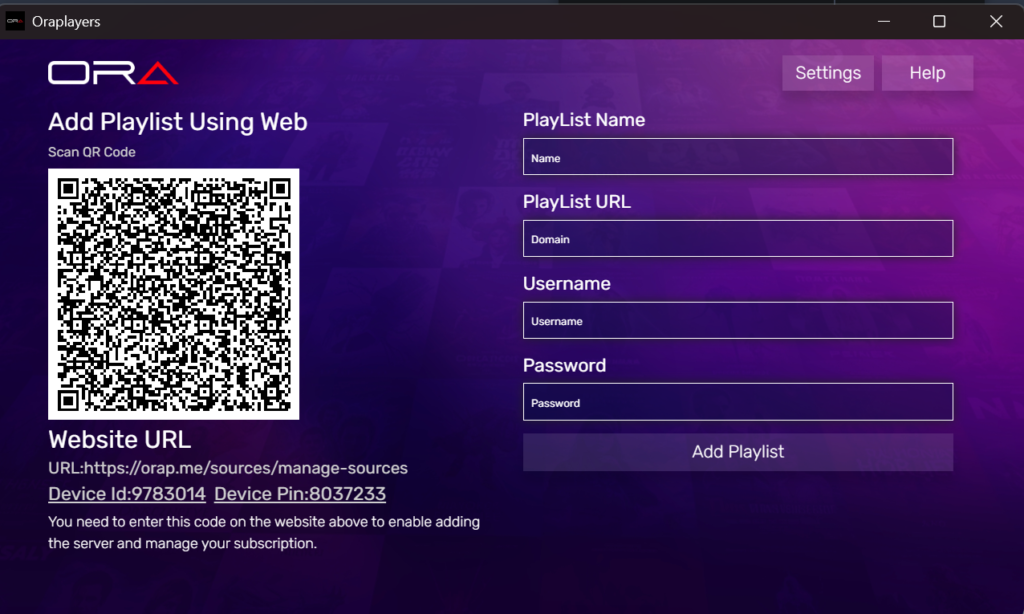
Xtream Codes work similarly but use a structured API that lets apps display metadata, VOD libraries, and EPG (electronic program guide) data in an organized interface. Most modern apps prefer this format. When you’re entering credentials, you’ll typically see three separate fields: server URL, username, and password.
MAC address authentication is rarer and more annoying. It ties your account to a specific device’s hardware ID, which sounds secure until you try to switch devices and have to contact support to re-register. I ran into this with one provider and it took about 24 hours to get a response. Not ideal for a trial.
Portal URLs are mostly for MAG boxes and similar set-top hardware. They’re entered directly into the device’s system settings rather than a third-party app.
Where to Find Legitimate Free Trials (That Don’t Waste Your Time)
Official Provider Trials
The most straightforward option is going directly to mainstream IPTV services. FuboTV currently offers a 7-day free trial. Philo does the same for new subscribers. YouTube TV runs periodic trials, though they’ve pulled back on how frequently they offer them. Sling TV occasionally does promotions, but you need to catch them at the right moment — their trial page is easy to miss.
Registration is quick — usually under two minutes — and most will ask for a credit card upfront even though they won’t charge it until the trial ends. Set a calendar reminder. Without one, that $70+ monthly charge will hit before you’ve had a chance to cancel.
One thing worth knowing: these services are geo-locked. If you’re testing from outside their licensed territory and using a VPN to bypass that, the stream quality often suffers. I saw consistent buffering on a 200Mbps connection when routing through a crowded VPN server. Direct connections performed noticeably better.
IPTV Reseller Trials
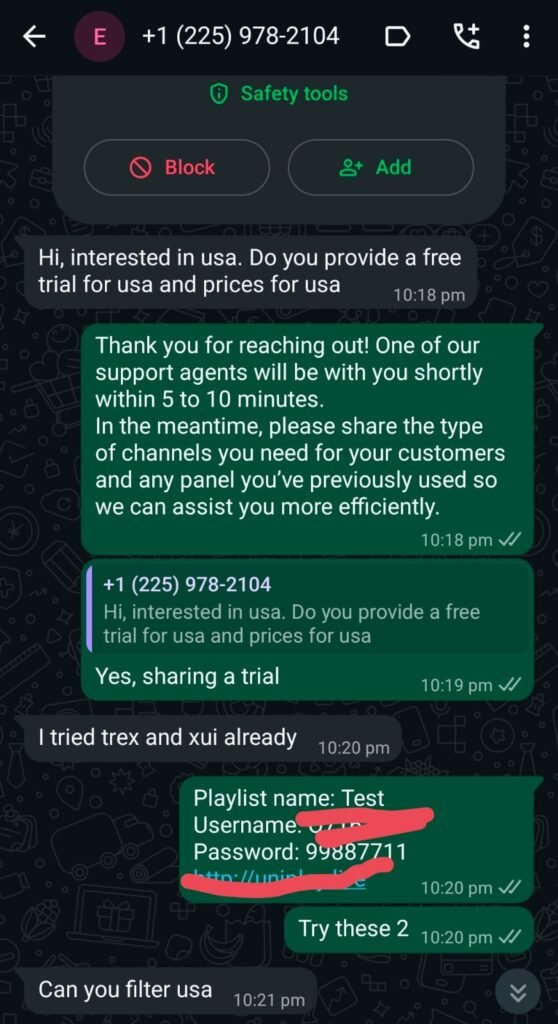
Resellers occupy an interesting middle ground. They buy bulk access from providers and sell it at a markup, and they often have more flexibility to offer short trials — usually 24 to 48 hours — without requiring credit card details.
Finding legitimate resellers takes a bit of work. Look for ones that are transparent about what they’re reselling, have a real contact method (WhatsApp is common in this space), and can show you a sample channel list before you commit to anything. Vague answers about “thousands of channels” without specifics is a red flag.
When you contact a reseller for a trial, ask directly: what server does this run on, what’s the uptime guarantee, and are premium sports channels included? Their willingness to answer those questions tells you a lot.
Referral Programs
Some subscription services offer referral benefits — either extended trials or discounted months for both the referrer and the new signup. Ask friends or family who already use IPTV services whether their provider has this. It’s underused and often the cleanest way to get a no-friction trial.
Tech-focused YouTube channels that cover streaming setups sometimes have affiliate partnerships, which usually means a trial link that bypasses the standard sign-up flow. These are legitimate — the creator gets a commission, you get the trial. Nothing shady there.
Seasonal Promotions
Black Friday, Cyber Monday, and New Year periods consistently bring promotional codes from multiple providers. Checking deal aggregators like SlickDeals around those times is worth the effort. Providers also occasionally run win-back campaigns targeting lapsed subscribers — these can include surprisingly generous offers if you’ve cancelled within the last few months.
How to Actually Set Up Your Trial (The Part Most Guides Skip)
Step 1: Pick Your Player First
Don’t download the first app you find. The player you choose matters more than most guides admit.
TiviMate is the best option for Android devices and Fire TV if you’re willing to pay a one-time fee for the premium version. The free version works, but the premium adds multi-playlist support, a proper EPG view, and recording capability — the difference is noticeable. The interface loads fast. Channel switching takes about 1–2 seconds once the playlist is loaded.
IPTV Smarters Pro is the most versatile free option. It handles both M3U and Xtream Codes, supports VOD and series categories, and works across Android, iOS, and most smart TVs. First-time setup took me about 8 minutes including downloading and configuring — longer than it should be because the credential entry screen isn’t labeled clearly.
GSE Smart IPTV is worth having on iOS specifically. It includes a built-in browser for portal-style activation and handles multiple playlists cleanly. Picture-in-picture mode actually works, which is more than I can say for some alternatives.
VLC works in a pinch but has no EPG support and minimal IPTV-specific features. Use it to verify a stream is live, not as your primary viewer.
Step 2: Enter Your Credentials
For M3U: In TiviMate, go to Playlists → Add Playlist → M3U URL. Paste your URL and tap “Add.” The app will pull the playlist — this took about 12 seconds on my connection for a list with around 4,000 channels. Larger playlists take proportionally longer.
For Xtream Codes: In IPTV Smarters Pro, go to Add User → Xtream Codes API. Enter the server URL (without trailing slash — I missed this on my first try and got an authentication error), your username, and your password. Hit login.
A common mistake: copying the M3U URL with extra whitespace at the beginning or end. It’ll fail silently in most apps. Always paste into a text editor first to check.
Step 3: Add EPG Data
The EPG — electronic program guide — shows you what’s currently airing and what’s coming up. Without it, you’re navigating blind through channel numbers.
Your provider may include the EPG URL in the same credentials email as your M3U link. If not, ask for it separately — some resellers forget to include it. In TiviMate, go to EPG Sources → Add Source and paste the URL. EPG data usually takes 2–5 minutes to fully load the first time.
Timezone configuration matters here. If your guide shows program times that are off, check Settings → EPG → Time Offset and adjust to your local zone.
Step 4: Organize Your Channels
A playlist with 4,000+ channels is useless without filtering. In TiviMate, use the Groups view to isolate categories — sports, news, regional content — and hide everything you’ll never watch. This alone makes the experience dramatically better.
Create a Favorites list for the 20–30 channels you’ll actually use regularly. Navigation between favorites is instant versus the 1–2 second delay when scrolling the full list.
What Most Reviews Don’t Tell You
This is where I want to be honest rather than promotional.
Trial channels aren’t always the same as paid channels. Some resellers deliberately include premium sports channels in trial packages as a sales tactic, then quietly remove them when you convert to a paid plan. Screenshot your channel list during the trial and compare it to what’s listed in the paid plan before committing.
Server load is worse during trials. Free trial periods often run on shared or lower-priority server capacity. That smooth stream during your Tuesday afternoon test may buffer badly on Saturday evening when server load peaks. If you can, test during prime time — Friday or Saturday evening between 7–10 PM — before making a decision.
EPG accuracy is inconsistent. Even on providers who claim “full EPG,” coverage for international or regional channels is frequently incomplete. The guide will show the right channel name but the program listing will either be missing or wrong. This is especially common for channels outside the US and UK.
Customer support is the real differentiator. When a stream goes down — and it will at some point — how long does it take to get a fix? I’ve had providers respond in under an hour and others that went silent for two days. Test the support channel during your trial, even if nothing is broken, just to verify someone is actually there.
Not every app works on every device despite what the specs say. IPTV Smarters Pro on an older Amazon Fire TV Stick (first generation) was noticeably sluggish — menus lagged, and playlist loading sometimes timed out. On a Fire Stick 4K, the same setup worked without issues. Your device hardware matters.
Real Setup Mistakes I Made (and How to Fix Them)
Mistake 1: Wrong port in the server URL. I entered the server address without the port number (typically 8080 or 25461) and got a “connection failed” error that didn’t specify what was wrong. Fix: always confirm the full server URL with the provider, including the port.
Mistake 2: Skipping buffer settings. IPTV Smarters Pro has a buffer control setting under Advanced Settings → Player Settings. Leaving it at the default caused freezing on HD streams during peak hours. Bumping it to 5,000ms resolved most issues. TiviMate calls this setting Buffer Size under Player Settings → ExoPlayer.
Mistake 3: Loading a 10,000-channel playlist on a low-RAM device. It crashed the app. Twice. Ask your provider for a trimmed playlist of the regions and categories you actually want instead of the full list.
Mistake 4: Not testing the VOD section. I focused on live channels and only checked VOD content on my last day of the trial. VOD libraries vary wildly — some providers have 10,000+ titles with working streams; others have the same number listed but half of them return dead links. Check VOD early.
Mistake 5: Forgetting to cancel. Set two reminders — one 48 hours before trial end, one the morning of the last day. Some providers make cancellation straightforward; others require emailing support, which adds a delay.
Performance Reality Check
These are approximate benchmarks from personal testing on a 150Mbps fiber connection:
- HD stream startup time: 2–4 seconds on good servers, 8–12 seconds on overloaded ones
- 4K stream startup: 5–8 seconds, with buffering common if your connection drops below 25Mbps
- Playlist load time (4,000 channels): ~12 seconds on TiviMate
- EPG first load: 2–5 minutes depending on file size
- Channel switching speed: 1–2 seconds on Xtream, slightly longer on M3U
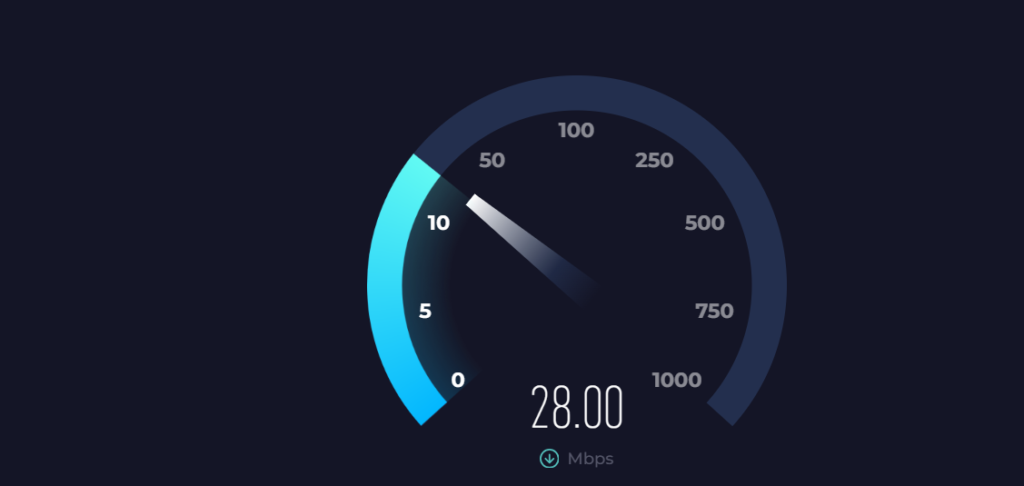
Wi-Fi adds variability. A wired ethernet connection — even a cheap USB-to-ethernet adapter on a Fire Stick — makes a measurable difference in stability. If you’re seeing intermittent buffering that doesn’t correspond to a slow speed test result, the connection type is likely the culprit before you start blaming the provider.
Who This Is NOT For
Be honest with yourself before going through the setup process.
If you want reliability above everything else — NFL Sunday Ticket, live events without buffering risk — a proper cable subscription or the official streaming app for that league is the better choice. IPTV, especially budget options, introduces variability that premium services don’t.
If you’re not comfortable with light troubleshooting — entering URLs, adjusting buffer settings, occasionally updating a playlist when credentials change — the experience will frustrate you. This isn’t plug-and-play the way Netflix is.
If you watch a lot of content that needs captions — accessibility support on most IPTV apps is limited compared to mainstream platforms. Closed captions are available for some channels but not reliably so.
If you’re outside the US and hoping for full US premium channel lineups — licensing restrictions mean those channels may be geofenced or simply not available regardless of what the channel list claims.
Compatible Devices and Best Apps (Quick Reference)
| Device | Best App | Code Type |
|---|---|---|
| Android TV / Box | TiviMate | M3U or Xtream |
| Amazon Fire Stick 4K | TiviMate / Flix IPTV | M3U or Xtream |
| iPhone / iPad | GSE Smart IPTV | M3U or Xtream |
| Samsung / LG Smart TV | Smart IPTV | M3U |
| MAG Box | Built-in portal | MAG portal URL |
| Windows PC | VLC / IPTV Smarters | M3U |
Troubleshooting Common Problems
Buffering constantly: First check your actual internet speed — you need at least 10Mbps for stable HD, 25Mbps+ for 4K. Then check buffer settings in your player (see Mistake 2 above). If speed and settings are fine, the issue is likely server-side. Contact your provider or try a different server if they offer alternatives.
Code not working after 24 hours: Trial codes expire precisely. There’s usually no grace period. Contact the provider before the trial ends if you need more time — some will extend it if you ask.
No EPG / wrong program times: Verify the EPG URL is correctly entered (no extra spaces), check timezone settings, and wait at least 5 minutes for initial load. If it’s still blank, ask your provider for an updated EPG URL — these change occasionally.
App crashes on startup: Usually a RAM issue on older devices or a corrupt playlist cache. Clear the app cache, reduce playlist size, or try a different app.
Channels appear but won’t play: This typically means the stream URL within the playlist is expired or the server is down. A quick fix is to refresh the playlist from within your player settings. If individual channels don’t play but others do, that specific channel’s stream may be temporarily unavailable.
Transitioning to a Paid Plan
After your trial, look at these factors before paying:
Month-to-month versus annual pricing. Annual plans can be 40–60% cheaper per month but you’re locked in with less recourse if quality drops. Start month-to-month until you’ve validated the service over time.
What happens when streams go down. Ask explicitly: do they offer compensation or service credit for extended outages? The answer tells you how they view their customers.
Multi-device limits. Most plans allow 1–3 simultaneous streams. If you need more, confirm it before signing up — adding devices after the fact often requires upgrading the plan.
Server location relative to you. Providers with servers geographically closer to you generally deliver lower latency and more stable streams. It’s worth asking where their infrastructure is based.
Frequently Asked Questions
Is using a free IPTV trial legal? Trials from licensed providers — FuboTV, Philo, YouTube TV, Sling TV — are completely legal. For third-party resellers, the legality depends on whether the underlying provider has proper content licensing. Legitimate resellers should be able to confirm this. If they can’t or won’t, that’s informative.
Do I need a VPN for IPTV? Not necessarily. A VPN can improve privacy and sometimes helps bypass geo-restrictions, but it can also reduce stream quality if the VPN server is overloaded or far from the streaming server. Test without a VPN first.
What’s the minimum internet speed I need? 10Mbps for stable HD. 25Mbps for reliable 4K. These are minimums — if other devices in your home are using bandwidth simultaneously, you’ll want more headroom.
Can I use one trial multiple times? Not with the same email address for major services. Some people use temporary email addresses to repeat trials, but this violates most providers’ terms of service.
Why does my trial stream look worse than the previews? Trial accounts often run on shared or lower-priority server capacity. Peak hours — evenings and weekends — will reveal the true performance ceiling better than off-peak testing.
How do I know if a reseller is legitimate? Look for transparent communication, verifiable contact details, a clear explanation of what content they’re licensing, and customer reviews outside their own website. Resellers who can’t answer basic questions about their service structure should be avoided.
What happens if my trial expires while I’m watching something? The stream cuts off immediately. There’s no grace period or warning within the app — the session just ends. This is normal and not a sign of a technical problem.
The best way to evaluate any IPTV service is to test it under real conditions during the trial — prime time, multiple devices, both live and VOD content. What performs well during a Tuesday afternoon test and what holds up on Saturday night can be two very different things. Take the trial seriously, test thoroughly, and you’ll have enough information to make a confident decision.